

‘munch’ crunches markdown text and ‘flextable’ paragraphs into grid graphics.
‘munch’ started as internal code in ‘flextable’ for rendering rich text with ‘grid’. It was extracted into its own package to also serve ‘ggiraph’ and to provide unified formatting between ‘ggplot2’ graphics and ‘flextable’ tables.
‘munch’ lets you produce this annotated graphic:

The title, subtitle, caption and axis labels above are all built with element_chunks() and ‘flextable’ paragraph objects, bold, italic, colors, highlights, superscripts, subscripts, strikethrough and an embedded image.
| Function | Purpose | Input |
|---|---|---|
element_md() |
Markdown in theme elements | Character string |
element_chunks() |
Advanced formatting in theme elements |
as_paragraph() object |
geom_text_md() |
Markdown text annotations |
label aesthetic |
geom_label_md() |
Markdown labels with background |
label aesthetic |
Installation
Install the released version from CRAN:
install.packages("munch")Or the development version from GitHub:
# install.packages("pak")
pak::pak("ardata-fr/munch")
Supported graphics devices
‘munch’ requires graphics devices that support ‘systemfonts’: ‘ragg’, ‘svglite’, or ‘ggiraph’. ‘cairo’ devices are also supported when fonts are installed at the system level. See vignette("font-recipes") for font configuration, alternative devices, and troubleshooting.
Quick start
ggplot2
Use element_md() for markdown in theme elements, and geom_text_md() or geom_label_md() for annotations:
library(ggplot2)

ggplot(mtcars, aes(mpg, wt)) +
 geom_point() +
 labs(title = "**Fuel consumption** vs *Weight*") +
 theme(plot.title = element_md(size = 16))
For advanced formatting (superscripts, subscripts, colors), use element_chunks() with ‘flextable’ paragraph objects:
title_chunks <- as_paragraph(
 as_chunk("Model: R"), as_sup("2"), as_chunk(" = 0.75")
)

ggplot(mtcars, aes(mpg, wt)) +
 geom_point() +
 theme(plot.title = element_chunks(title_chunks))
Syntax comparison
| Syntax | element_md() |
element_chunks() |
|---|---|---|
| Bold / Italic |
**text** / *text*
|
as_b() / as_i()
|
| Inline code | `code` |
x |
| Strikethrough | ~~text~~ |
as_strike() |
| Superscript | x | as_sup() |
| Subscript | x | as_sub() |
| Custom colors | x | colorize() |
| Highlighting | x | as_highlight() |
Patchwork integration
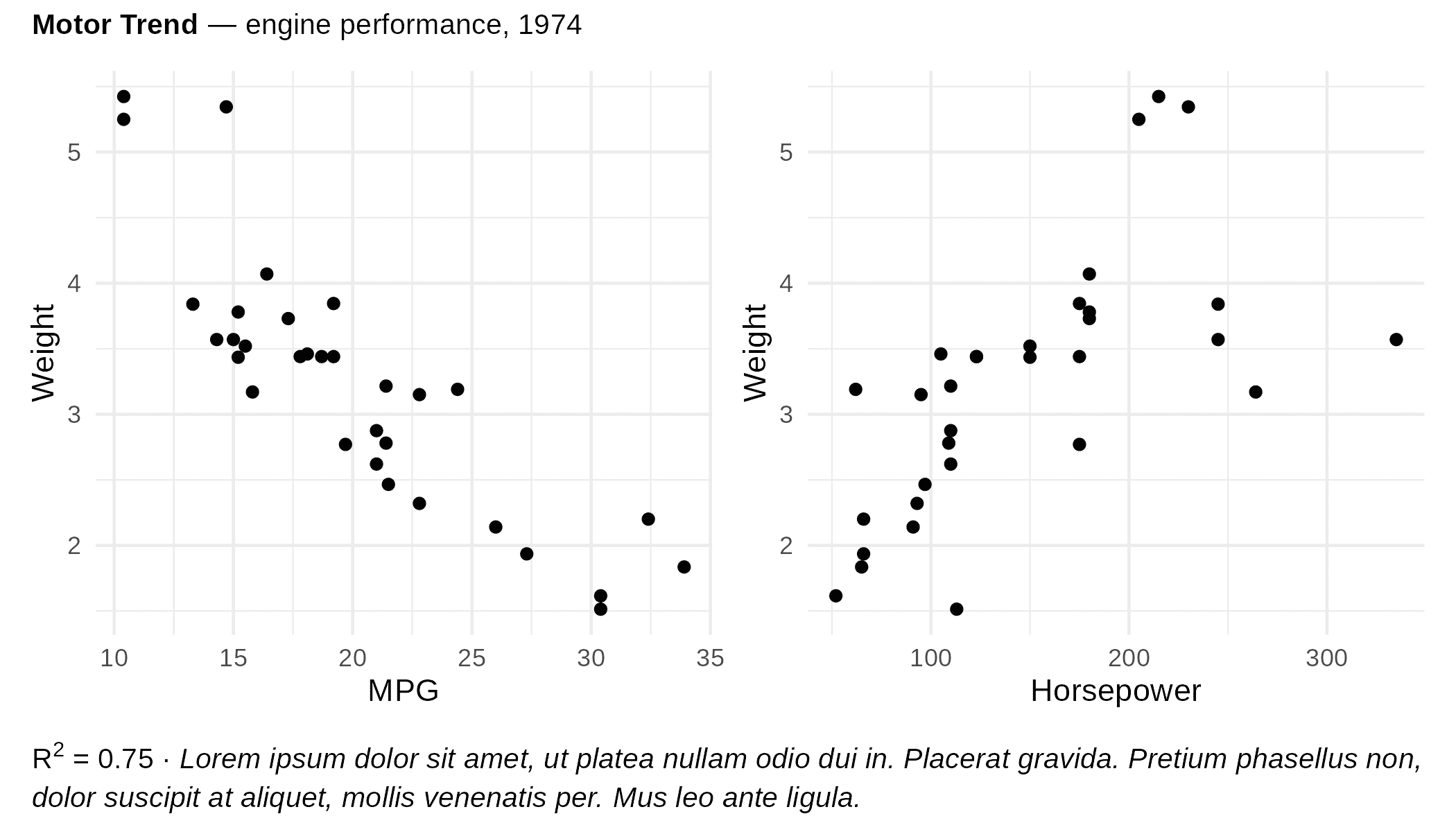
Use munch_annotation() as a drop-in replacement for patchwork::plot_annotation() that accepts element_chunks() and element_md(). It adds rich-text titles, subtitles and captions to combined plots, with automatic wrapping:
library(ggplot2)
library(patchwork)

p1 <- ggplot(mtcars, aes(mpg, wt)) +
  geom_point() +
  labs(x = "MPG", y = "Weight")

p2 <- ggplot(mtcars, aes(hp, wt)) +
  geom_point() +
  labs(x = "Horsepower", y = "Weight")

title_chunks <- as_paragraph(
  as_b("Motor Trend"), as_chunk(" — engine performance, 1974")
)

caption_chunks <- as_paragraph(
  as_chunk("R"), as_sup("2"), as_chunk(" = 0.75 · "),
  as_i("Lorem ipsum dolor sit amet, ut platea nullam odio dui in. "),
  as_i("Placerat gravida. Pretium phasellus non, dolor suscipit at aliquet, "),
  as_i("mollis venenatis per. Mus leo ante ligula.")
)

wrap_plots(p1, p2) +
  munch_annotation(
    title   = element_chunks(title_chunks),
    caption = element_chunks(caption_chunks, lineheight = 1.5, hjust = 0)
  )
For plain markdown text, pass the content as a string and use element_md() in the theme argument, as in regular ggplot2 theming:
wrap_plots(p1, p2) +
  munch_annotation(
    title   = "**Motor Trend** — engine performance, 1974",
    caption = "R² = 0.75 · *Lorem ipsum dolor sit amet, ut platea nullam odio dui in. Placerat gravida pretium phasellus non, dolor suscipit at aliquet.*",
    theme   = theme(
      plot.title   = element_md(),
      plot.caption = element_md(lineheight = 1.5, hjust = 0)
    )
  )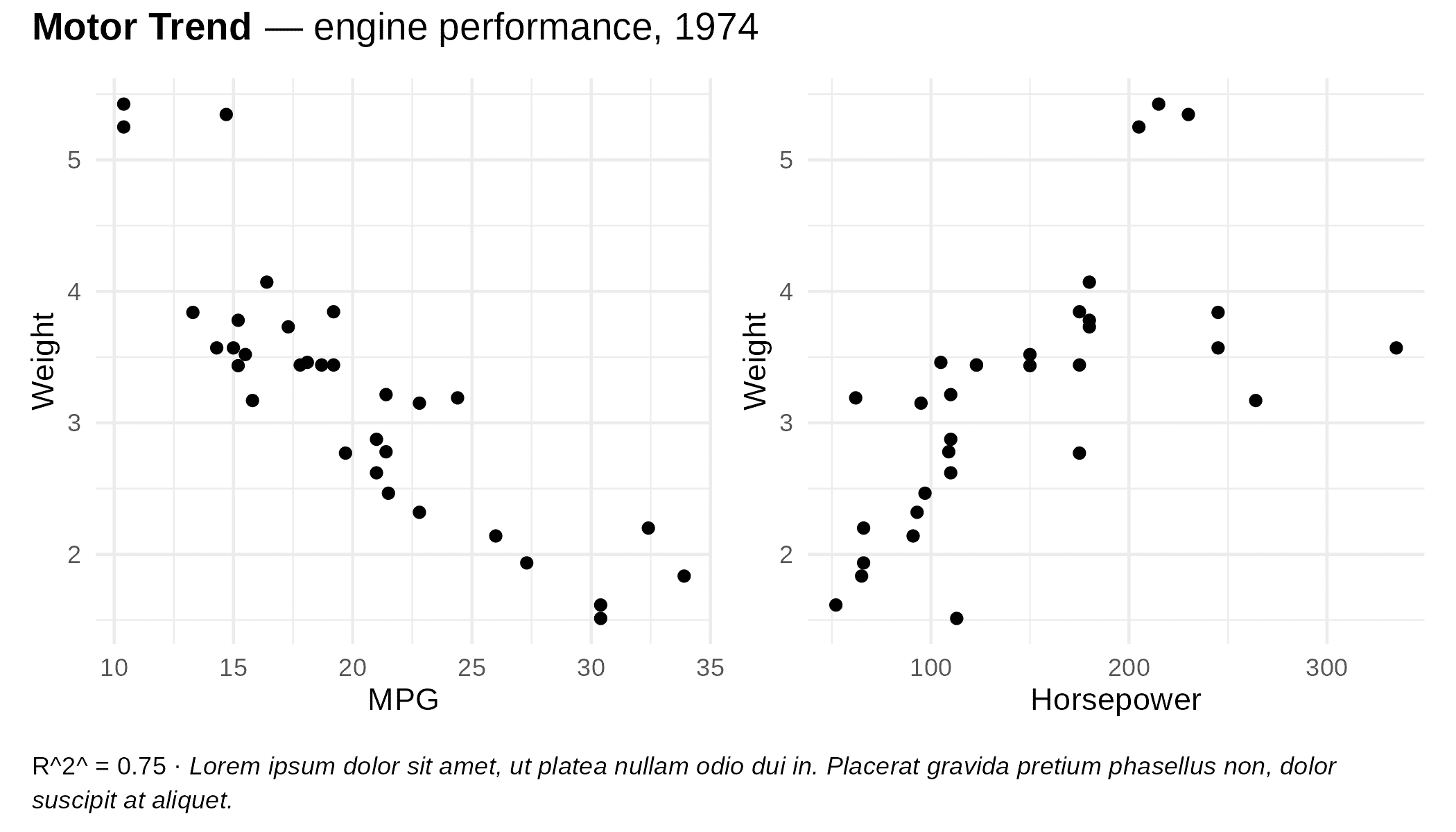
The caption auto-wraps to the full figure width at render time, so it works correctly regardless of output size. title, subtitle, and caption each accept an element_chunks() or element_md() object, a bare as_paragraph() object, or a plain character string.
flextable
Use as_paragraph_md() for markdown in table cells:
ft <- flextable(head(iris, 3))
ft <- mk_par(ft, j = 1, part = "header",
 value = as_paragraph_md("*Sepal* **Length**"))
autofit(ft)
Markdown to grob
library(munch)
library(grid)

gr <- md_grob("This is **bold** and *italic* text.")
grid.newpage()
grid.draw(gr)
For superscripts, subscripts, or colors not available in markdown, use ‘flextable’ chunks with chunks_grob():
library(flextable)

chunks <- as_paragraph(as_chunk("E = mc"), as_sup("2"))
gr <- chunks_grob(chunks)
grid.newpage()
grid.draw(gr)
Learn more
-
Using munch with ggplot2 -
element_md(),element_chunks(),geom_text_md(),geom_label_md() -
Advanced usage -
md_grob(),chunks_grob(), text properties, images - Font recipes - font configuration, device compatibility, troubleshooting
Comparisons
‘gridtext’
‘gridtext’ by Claus O. Wilke (used by ‘ggtext’) renders formatted text via a subset of HTML/CSS. ‘munch’ takes a different approach: it uses markdown or ‘flextable’ chunks as input and relies on ‘systemfonts’ for text measurement.
| munch | gridtext | |
|---|---|---|
| Input format | Markdown, flextable chunks | HTML / CSS subset |
| Superscript / subscript | Yes (as_sup(), as_sub()) |
Yes (<sup>, <sub>) |
| Custom colors / highlight | Yes (via colorize(), as_highlight()) |
Yes (via inline CSS) |
| Inline images | Yes | Yes |
| Text wrapping | Yes | Yes (textbox_grob()) |
| Integration with ‘flextable’ | Yes (shared chunk model) | No |
| Supported devices | ‘ragg’, ‘svglite’, ‘ggiraph’, cairo | Most R graphic devices |
| Compiled code | No (pure R) | Yes (C++ via ‘Rcpp’) |
with ‘marquee’
‘marquee’ by Thomas Lin Pedersen offers more markdown features (headings, lists, code blocks, custom spans). ‘munch’ focuses first on integration with ‘flextable’ chunks and advanced formatting not available in markdown.
- ‘munch’ works with ‘ragg’, ‘svglite’, ‘ggiraph’,
cairo_pdf(),png(type = "cairo"), and possiblypdf()with some care (seevignette("font-recipes")). - ‘marquee’ works on a wide range of R devices but not yet with ‘svglite’ or ‘ggiraph’.
- With markdown, ‘munch’ only handles inline formatting (paragraphs are separated by an empty line), while ‘marquee’ also handles blocks such as headings, lists and code blocks.